Operations · Word + PDF + Google Sheets/Excel
Customer-Supplied & Online Tire Install Procedure
Say yes to the right customer-supplied and online-order tires, say no to the wrong ones, and get paid for the bay time.
What it does
Customers buy tires online and bring them in. Installer networks ship sets to your door and pay you a flat rate. Without a procedure, every one is a judgment call at the counter: Is this tire too old? Is the load index right? Do we charge for the install, or did they already pay? Who's responsible when a shipped tire turns out to be damaged?
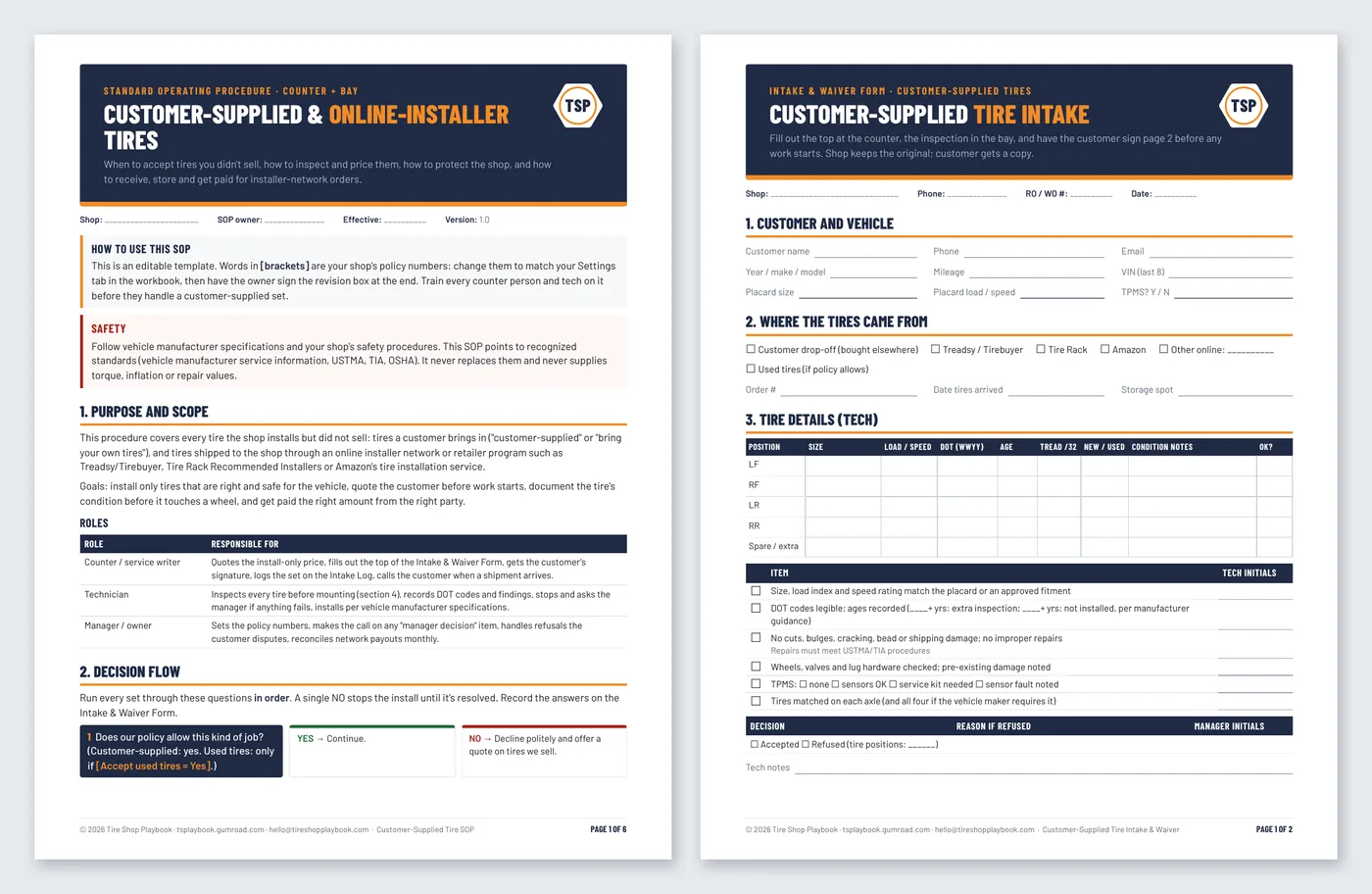
This kit gives your counter and bay one way to handle it. The SOP walks through when to accept, a 7-question decision flow, the tech inspection, pricing, liability, and the full online-order process (receiving, storage, no-shows and payouts). The Intake & Waiver Form records the tire details and the customer's signature before work starts. The workbook prices install-only work, checks whether a network payout is worth it, and logs every set until you're paid.
It's built for shop owners and service writers, not lawyers or spreadsheet experts. The SOP and form are editable Word files; the workbook uses yellow cells for typing and grey cells that calculate.
What it helps you do:
- Decide fast and the same way every time: a 7-question decision flow (policy, network order, size/load/speed vs. the placard, DOT age, inspection, matched set, signed quote). One NO stops the install.
- Inspect before it touches a wheel: a tech checklist that points to the vehicle placard, the DOT date code, and USTMA/TIA repair procedures, with no made-up numbers.
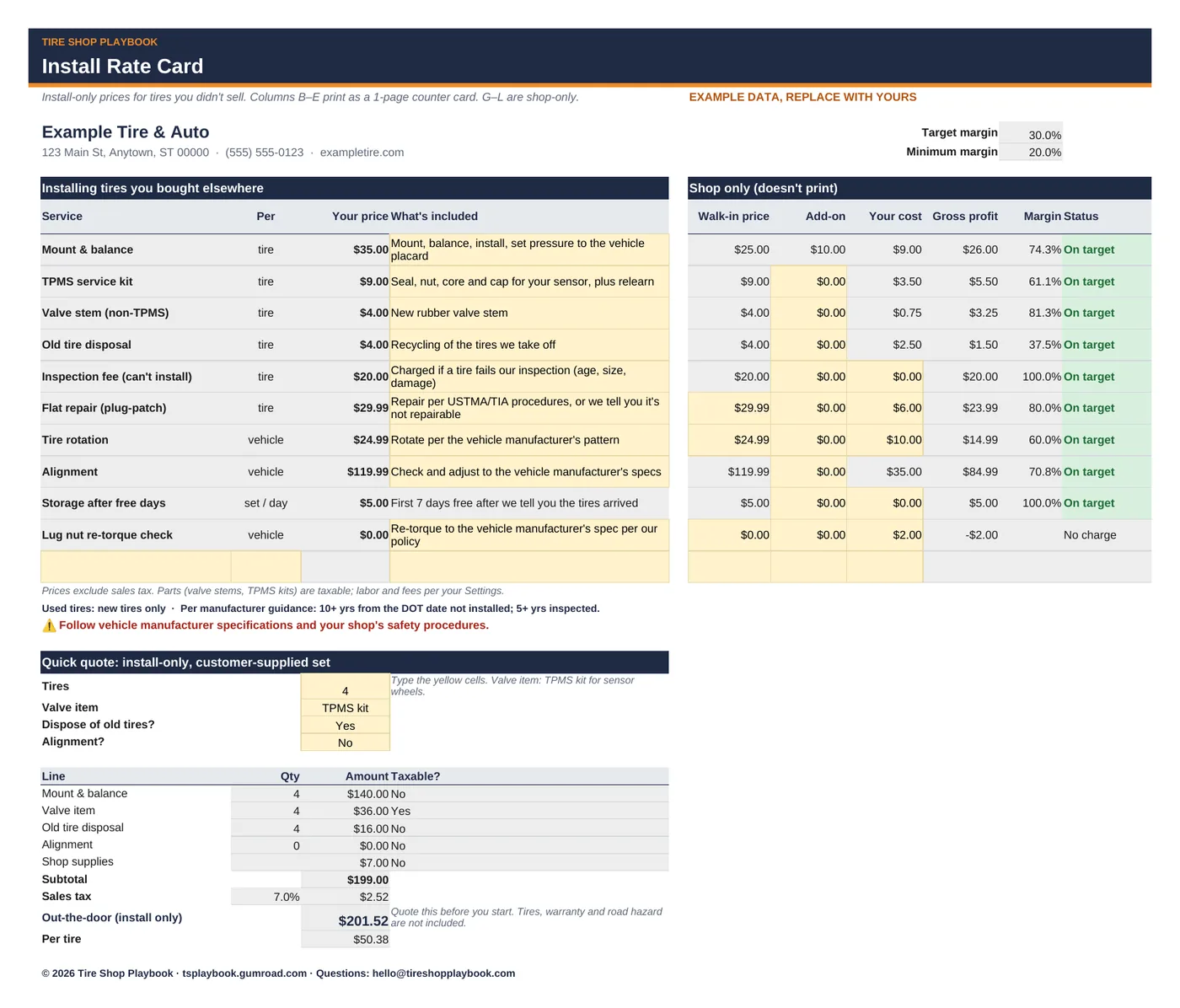
- Price install-only work on purpose: a printable install rate card (mount & balance + your customer-supplied add-on, TPMS kits, stems, disposal, inspection fee, storage) and a quick out-the-door quote.
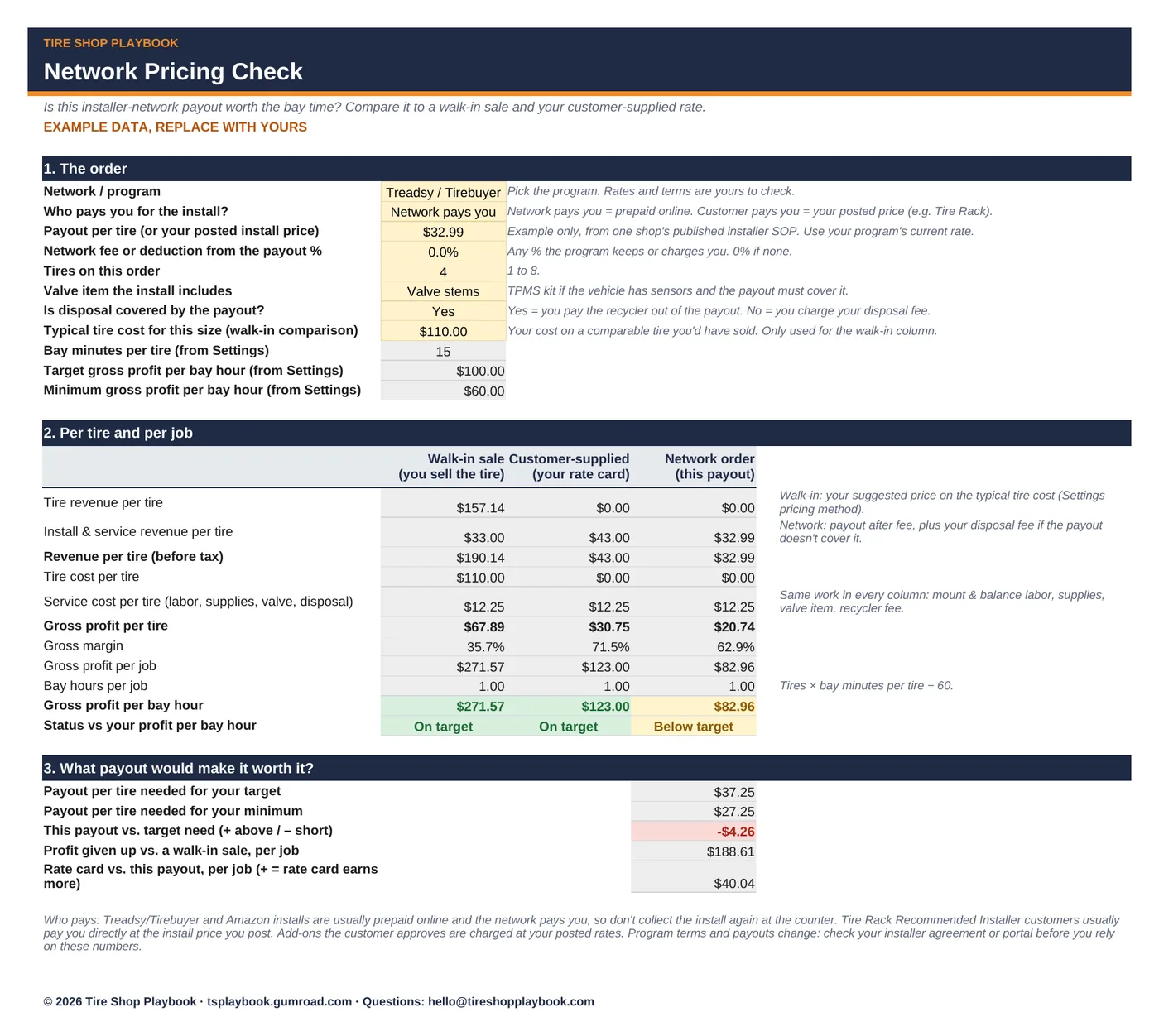
- Know if a network payout is worth it: compare a walk-in sale, a customer-supplied install and a network order per tire, per job and per bay hour, and see the payout you'd need to hit your target.
- Protect the shop: a 2-page intake form with tire details by position, an inspection sign-off, and an initialed customer acknowledgment and waiver, plus signature lines.
- Handle Treadsy/Tirebuyer, Tire Rack and Amazon orders: who usually pays, what not to collect twice, receiving, storage, no-shows and payout reconciliation.
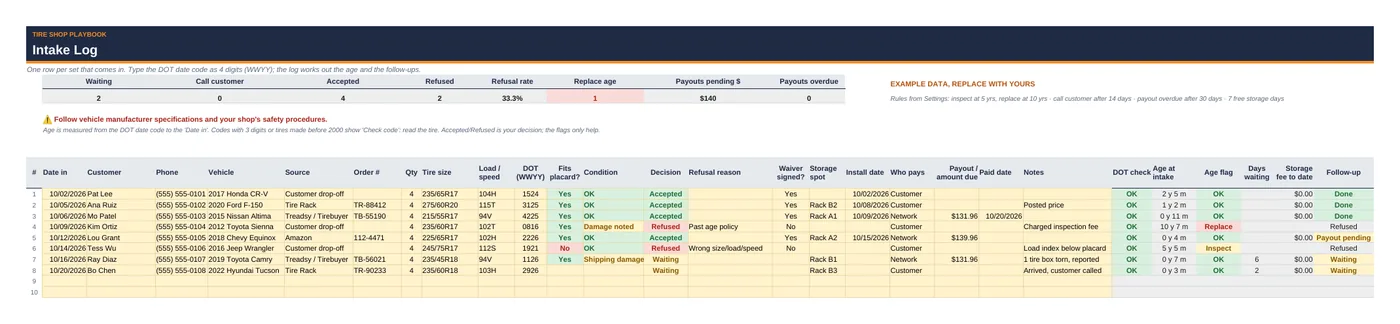
- Track every set: the Intake Log works out tire age from the DOT code, flags tires at your Inspect (5-year) and Replace (10-year) ages, per manufacturer guidance, sets waiting too long, storage fees and overdue payouts.
What's included
customer-supplied-tire-sop.pdf+.docx: 6-page standard operating procedure (editable)customer-supplied-tire-intake-waiver-form.pdf+.docx: 2-page intake & waiver form (editable)customer-supplied-tire-procedure-workbook.xlsxwith 5 tabs:- Start Here: a 10-minute how-to
- Settings: shop info; the Tire Pricing & Margin Calculator's pricing rows (same labels and order, so you can paste them over); your customer-supplied policy (add-on, bay minutes, profit per bay hour, inspection fee, tire-age defaults, used tires, storage, follow-up days)
- Install Rate Card: printable counter card + shop-only margin columns + quick quote
- Network Pricing Check: walk-in vs. customer-supplied vs. network payout, with break-even payout
- Intake Log: 100 rows with DOT age, decision, storage fee, follow-up and payout status
- Includes a step-by-step Quick Start Guide (PDF):
customer-supplied-tire-procedure-quick-start-guide.pdf, 6 pages, with a worked example and annotated screenshots. - Example data so you can see how it works. Replace it with your own numbers.
- Works in Google Sheets and Excel, Word and Google Docs. No macros, no add-ons, no subscription.
Questions
Is the waiver legally binding?
It's a plain-English template, not legal advice. Waiver wording, storage fees and what you can do with tires left at the shop depend on your state. Have your attorney review the form and SOP before you use them.
What tire age limit does it use?
Editable defaults, per manufacturer guidance: a professional inspection from 5 years after manufacture (Michelin, Bridgestone) and replace, don't install, at 10 years, spares included (Michelin, Bridgestone, Continental). Some automakers recommend replacement at 6 years, and there's no federal age limit (NHTSA). Set your own policy on the Settings tab and in the SOP.
Does it give torque, inflation or repair specs?
No. It points to the vehicle manufacturer's specifications and recognized standards (USTMA, TIA, OSHA 1910.177 for large-vehicle rim wheels). Follow vehicle manufacturer specifications and your shop's safety procedures.
Does it work with my installer network?
It covers the common payment models: prepaid installs the network pays you for (e.g. Treadsy/Tirebuyer, Amazon) and customers who pay your posted price (e.g. Tire Rack Recommended Installers). Program terms change, so check your installer agreement. Not affiliated with any of these companies.
Does it work in Google Sheets and Excel?
Yes. Upload the .xlsx to Google Drive and open it with Google Sheets, or open it in Excel. Formula cells are locked in Excel (no password) and color-coded grey in Sheets, so type only in the yellow cells.
Refunds?
All sales are final. If a file doesn't work, email hello@tireshopplaybook.com and we'll make it right.
A look inside
Screenshots with example data. Replace it with your own numbers.