Inventory · Google Sheets + Excel
Tire Inventory & DOT-Age Tracker
Know how old every tire on your rack is, sell the oldest first, and see how much money is sitting in aged stock.
What it does
Every tire on your rack has a birthday stamped on the sidewall, and most shops only read it when a customer asks. By then the tire has sat for years, tied up cash, and become a hard sell.
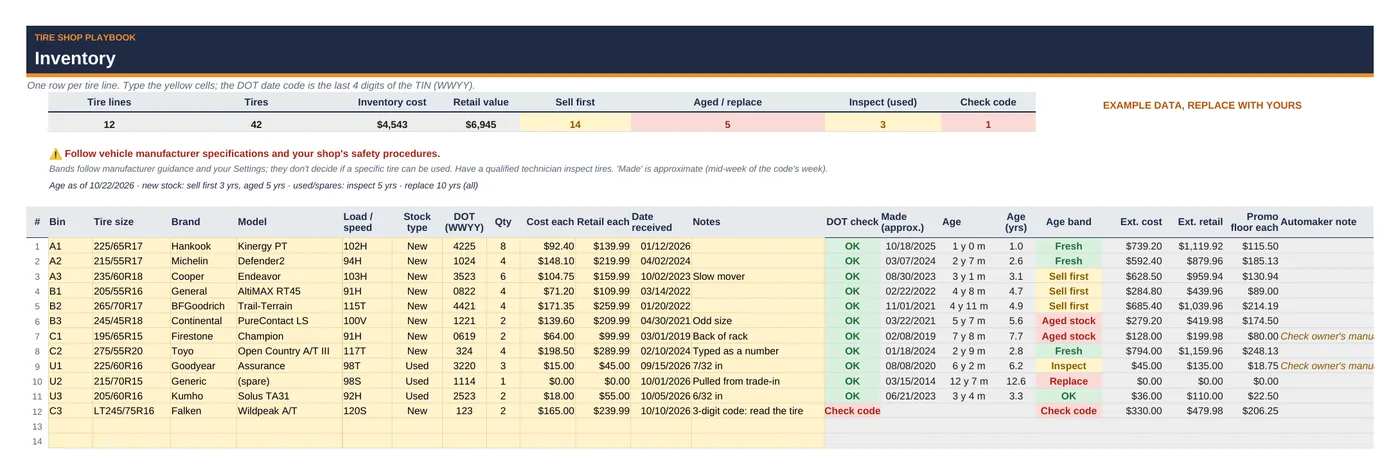
This tracker reads the 4-digit DOT date code for you. Type the bin, size, brand, the DOT code and the qty, and it works out the approximate manufacture date and age, puts every line in an age band, and builds a sell-first list with the oldest tires on top. The Age Summary shows how many tires and how many dollars sit in each band, so you can plan a promo before stock gets old.
It's built for shop owners, managers and counter staff, not spreadsheet experts. Yellow cells are for typing; grey cells calculate.
What it helps you do:
- Get the age from the DOT code, automatically: week and year from the last 4 digits of the TIN, approximate manufacture date, and age as of today (or any date you pick). Codes typed as numbers keep their leading zero.
- Catch bad codes: 3-digit (pre-2000) codes, week 00 or over 53, and dates in the future show "Check code".
- Band every line, per manufacturer guidance: new stock is Fresh, Sell first (3+ years) or Aged stock (5+ years); used and spare tires are OK or Inspect (5+ years); any tire at 10+ years is Replace. All thresholds are editable on Settings.
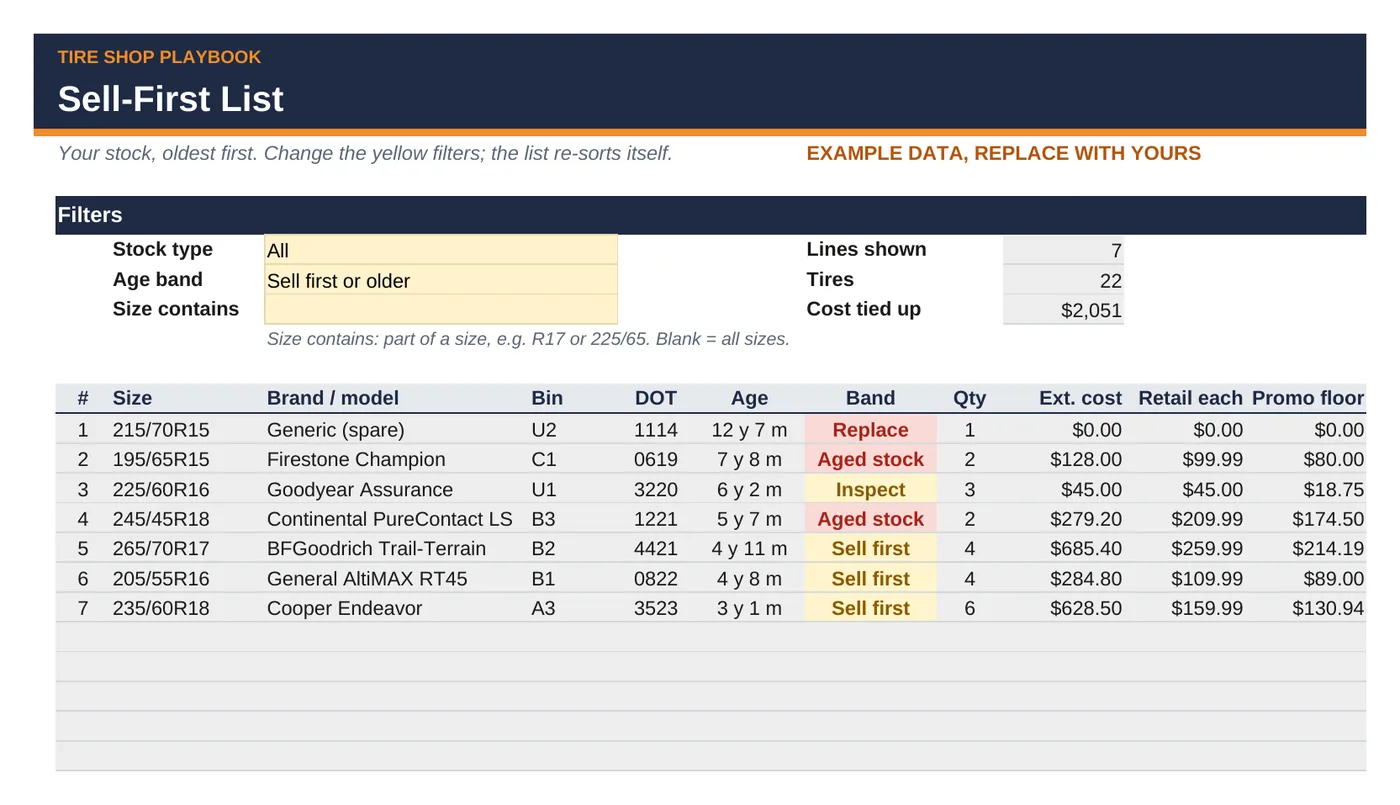
- Sell the oldest first: a self-sorting Sell-First List with filters for stock type, age band and size, plus lines, tires and cost tied up.
- Price aged stock to move, not give away: a promo floor per line that keeps your minimum margin (same Settings rows as the Tire Pricing & Margin Calculator).
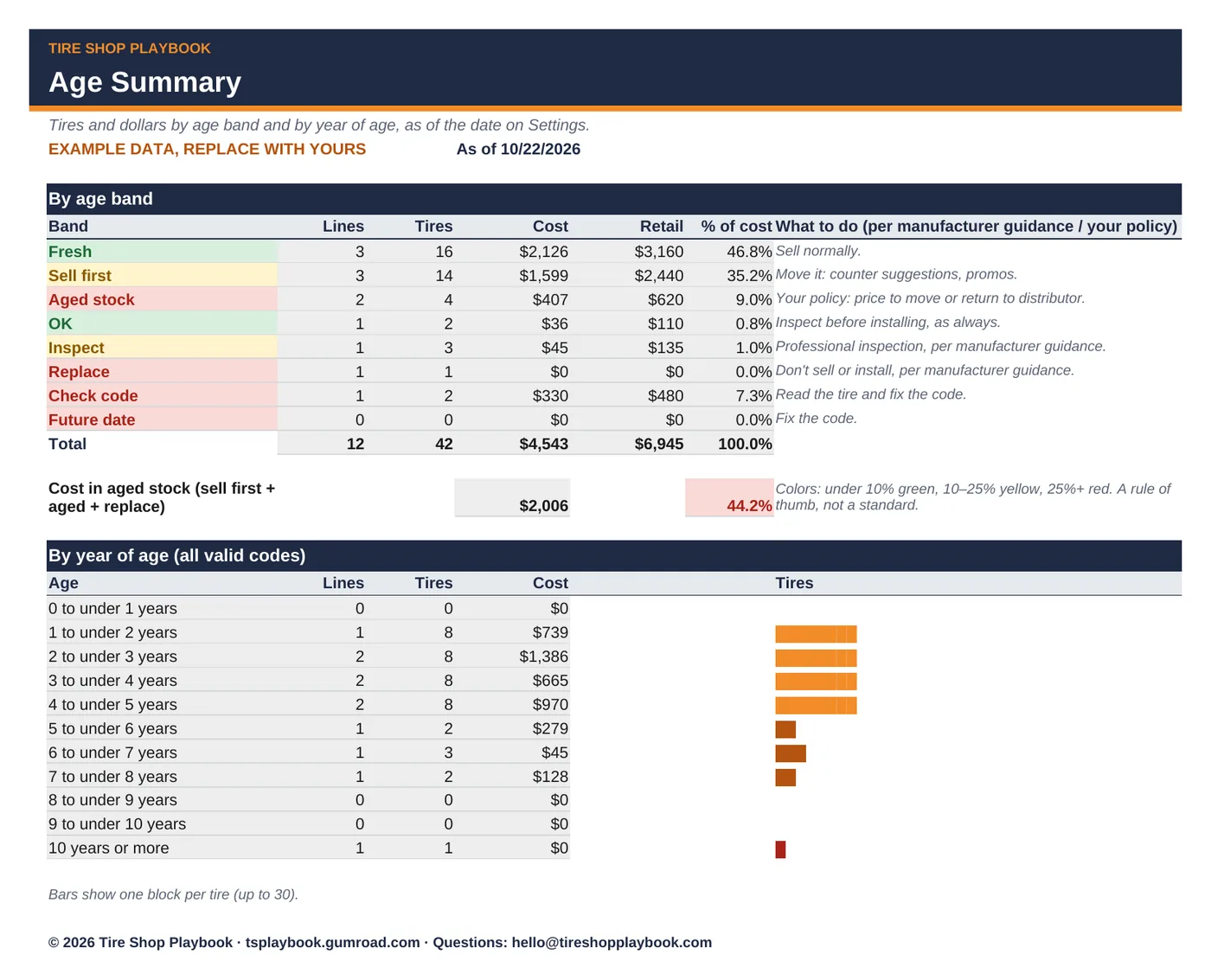
- See the money: tires and dollars by age band and by year of age, with the share of cost in aged stock.
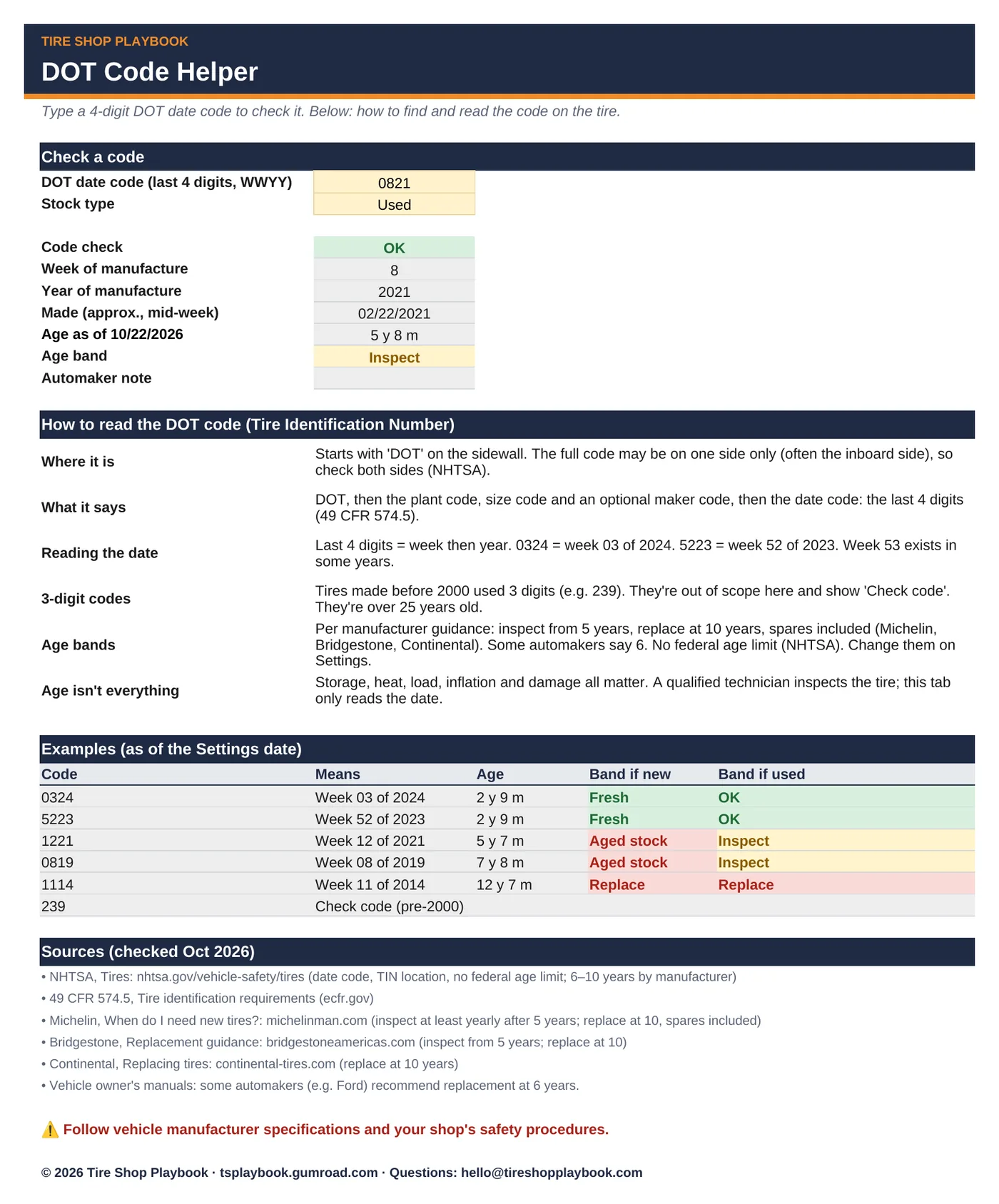
- Train new staff: a DOT Code Helper tab that checks any code and explains where to find and how to read the TIN, with sources.
What's included
tire-inventory-dot-age-tracker.xlsxwith 6 tabs:- Start Here: a 10-minute how-to
- Settings: shop info; the Tire Pricing & Margin Calculator's pricing rows (same labels and order, so you can paste them over); tire-age thresholds (as-of date, inspect, replace, automaker note, unsold-stock warn and flag)
- Inventory: 150 tire lines with DOT age, band, extended cost and retail, promo floor and automaker note
- Sell-First List: your stock, oldest first, with filters
- Age Summary: tires and dollars by band and by year of age
- DOT Code Helper: check one code; how to read it; examples; sources
- Includes a step-by-step Quick Start Guide (PDF):
tire-inventory-dot-age-tracker-quick-start-guide.pdf, 6 pages, with annotated screenshots. - Example data so you can see how it works. Replace it with your own tires.
- Works in Google Sheets and Excel. No macros, no add-ons, no subscription.
Questions
What age limits does it use?
Editable defaults, per manufacturer guidance: Inspect from 5 years after manufacture (Michelin, Bridgestone recommend a professional inspection at least yearly from 5 years) and Replace at 10 years, spares included (Michelin, Bridgestone, Continental). A note appears from 6 years because some automakers (e.g. Ford owner's manuals) recommend replacement at 6. Unsold new stock: Sell first from 3 years and Aged stock from 5 years; there's no U.S. rule for this, so set your own policy.
Is there a legal age limit for selling tires?
There's no federal age limit (NHTSA). Some states and many shops have their own rules or policies; check yours. The tracker is a stock-rotation tool. It doesn't decide whether a particular tire can be used; a qualified technician inspects every tire. Follow vehicle manufacturer specifications and your shop's safety procedures.
How accurate is the manufacture date?
The DOT code gives the week and year, so the tracker uses mid-week of that week. Age is shown in years and months.
Does it work in Google Sheets and Excel?
Yes. Upload the .xlsx to Google Drive and open it with Google Sheets, or open it in Excel. Formula cells are locked in Excel (no password) and color-coded grey in Sheets, so type only in the yellow cells.
Refunds?
All sales are final. If a file doesn't work, email hello@tireshopplaybook.com and we'll make it right.
Sources (checked Oct 2026)
NHTSA, Tires (nhtsa.gov/vehicle-safety/tires) · 49 CFR 574.5 · Michelin, Bridgestone and Continental tire-age guidance · Ford owner's manual tire-age guidance (example of a 6-year automaker recommendation).
A look inside
Screenshots with example data. Replace it with your own numbers.